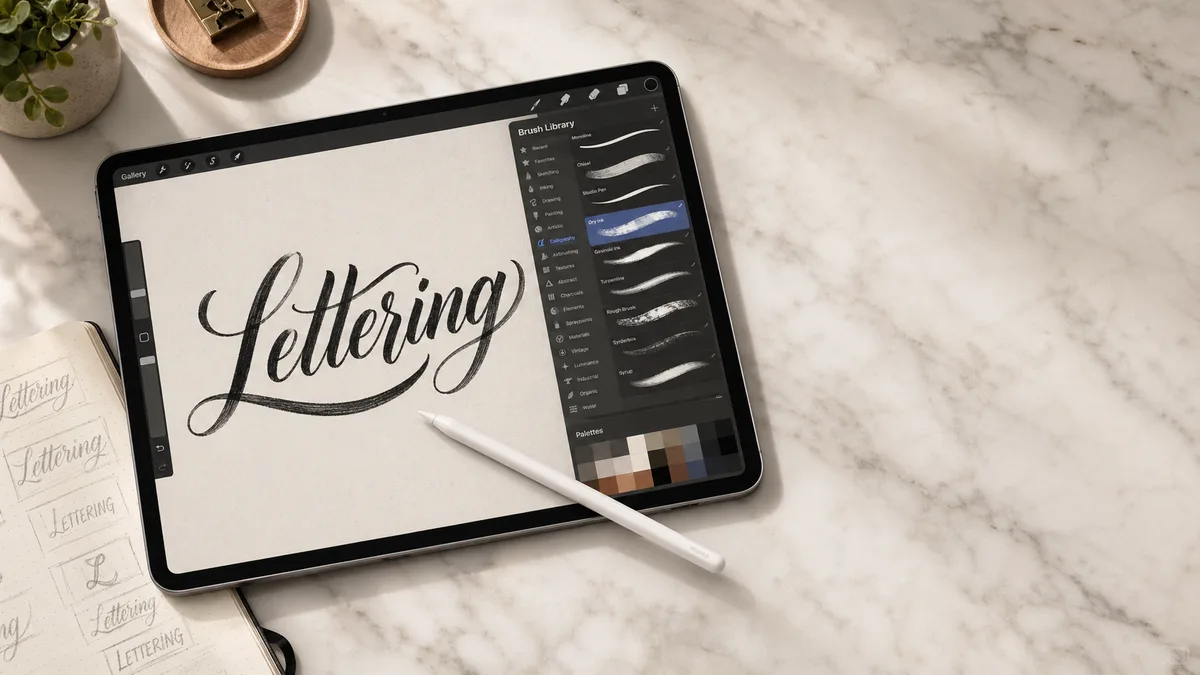
To keep a cursive name's appearance in a TikTok video or graphic, export the lettering as an image and add it in an editor that accepts images. Copying text from our generator does not install that font in your nickname, username, or bio.
Choose the destination first. A profile name is text; a name drawn in a video is artwork. Those uses have different limits and different accessibility needs. This guide explains the workflow without promising that TikTok will accept every fancy character or preserve every upload unchanged. The font and Unicode guide is useful if you expected styled text to survive copy and paste.
Nickname, username, bio, or video?
TikTok distinguishes a nickname from the username used for the account handle. Its nickname help and username help explain the current editing rules. Check those pages and the app's field validation before changing a public identity. A successful preview elsewhere is not evidence that a handle permits the same characters.
Keep the handle easy to spell and share. You can put a decorative version of the name in a profile image or video while retaining a readable ordinary-text identity. Do not add invisible characters to work around a rejected field. For similar distinctions on another platform, see our Instagram guide and Discord guide.
Choose a script that reads at phone size
Start with the short name or phrase you need, not a whole paragraph. Compare two fonts at the approximate size they will occupy in the finished video. Check whether the openings in e and a remain visible, whether a capital resembles another letter, and whether the final flourish hides the following word. Heavy ornament that looks good on a large preview can collapse into a small blur.
Use the name generator for a personal wordmark. Our aesthetic font guide discusses visual choices, and the script comparison helps distinguish a casual handwritten look from a formal one. Keep essential instructions in a plainer font; script works better as a short accent than as a dense caption.
Create the lettering image
Enter the ordinary spelling in the cursive generator, choose a font, and adjust the preview. Export PNG for an image workflow. Open the downloaded file before importing it into the video editor. Check the edges, the background, and the spacing around tall letters and descenders. Do not assume that an export has a transparent background unless you have checked the actual file.
If your editing app cannot remove or handle the background as needed, use a deliberate solid panel behind the word. A readable label is better than a poorly removed edge. For a hand-drawn transparent overlay, follow the export steps in the Procreate cursive guide. That workflow is separate from pasting a font into TikTok's own text controls.
Place the image where it remains readable
Import the PNG into the editor you use to assemble the video. Keep it away from the edges and from areas likely to sit behind interface controls, captions, or the account information. Preview within TikTok before publishing, because the visible layout depends on the viewing context. There is no single margin measurement that guarantees every screen and interface variant will leave a word uncovered.
Test against a bright frame and a dark frame from the video. A color that reads well on one may disappear on the other. Try the palette tool for a restrained color choice, then judge it against the moving footage. The font-pairing tool can help you choose a simpler caption face alongside the script heading.
If you are drawing the overlay on an iPad rather than exporting a font, compare the tested equipment in the iPad buying guide and the brush options in the Procreate brush guide. Treat them as references for a particular workflow, not prerequisites for a simple text export.
A profile image needs a simpler version
A long name that works across a video may not fit a small circular profile crop. Try initials or a short word, leaving a generous border around the lettering. Preview the crop at its small display size, not only at the editing size. If the letterforms merge, simplify the font before adding outlines or shadows.
You can sketch initials using the ideas in monoline lettering or plan restrained ornament with our flourishing guide. Keep the ordinary account name available as text. A decorative avatar does not provide a searchable or reliably readable replacement.
Check the uploaded result and permissions
Inspect the finished upload for compression blur, clipped loops, and unreadable contrast. If you used unusual characters in a permitted field and another device displays boxes, follow the missing-character troubleshooting guide. Changing your local font cannot guarantee how someone else's app draws those characters.
Check permissions for fonts, music, footage, and artwork separately. Our commercial-use guide covers font-related questions. If you decide to draw the lettering on an iPad, consult the device guide before buying; a new tablet is not required to make a simple PNG heading. This is an image-production guide, not a claim of hands-on validation across every TikTok version or account type.